

 Loading...



Play Line Rider Online for free and jump into a classic drawing-based online browser video game where you sketch a track, press play, and watch a little rider try to travel across your lines. You can start right away in your web browser on our LineRider page, no installs and no fuss.
Quick answer: Line Rider sled is a browser drawing game where you create a line track, test it instantly, and keep editing until the ride looks smooth, funny, or awesome.
What is Line Rider game?
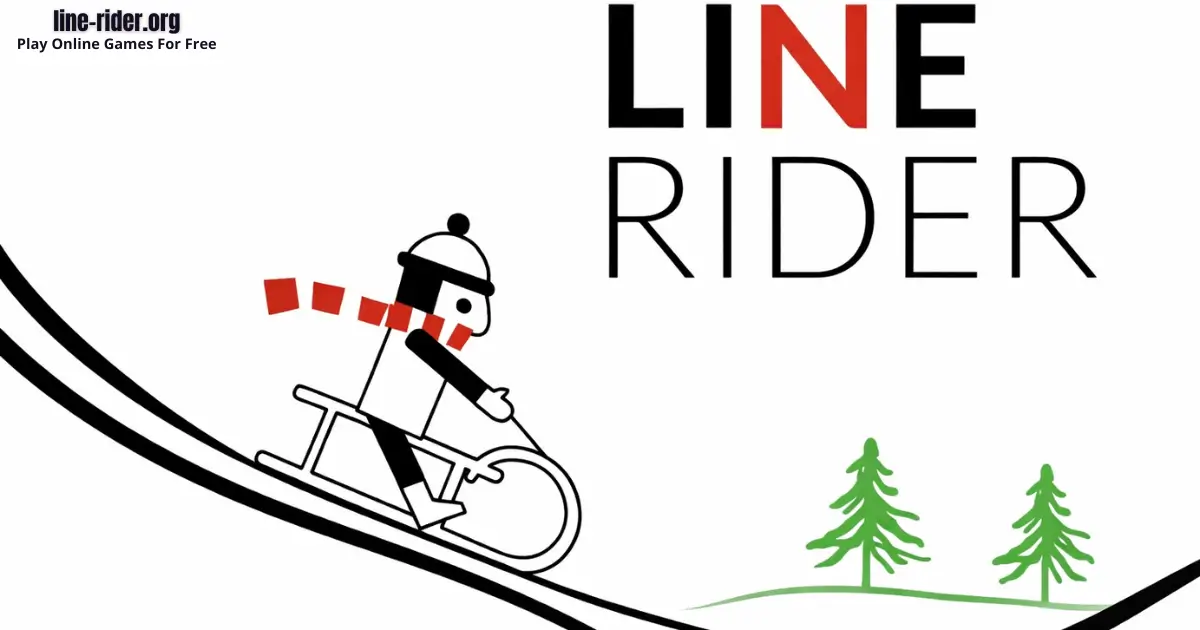
Line Rider sled is an online browser video game that turns simple drawing into motion. You draw lines that act like the ground, then you press play and the rider reacts to the track you made. Some people play it like a tiny puzzle, trying to keep the rider moving without getting stuck. Others treat it like a creative sandbox, building stunts, curves, and picture-like tracks just to see what happens.
Unlike level-based games with one correct solution, Line Rider game is usually “you make the challenge.” A short track can be a perfect quick win, and a longer track can be a bigger project that you improve over time. The fun comes from experimenting: a small change to a corner, a slope, or a landing can totally change the ride.
Line Rider game first appeared in 2006 and became famous because it is easy to understand but surprisingly deep. You can start with one gentle slope, then slowly learn how to build smoother lines, safer landings, and cleaner transitions that feel good when the rider moves.
If you want the background story and a simple overview, you can read this learn what Line Rider sled game is page.
Line Rider Gameplay
Gameplay is a loop of drawing, testing, and improving. You sketch a path, run the track, and watch for “problem moments” where the rider slows down, flips, or stops. Then you pause, edit the exact section that caused the trouble, and test again. Over time you get better at predicting what will happen, but the game stays fun because unexpected results can still pop up.
Many players build tracks in layers. First, make a working path from start to finish. Next, smooth the rough spots so the ride feels stable. Finally, add style, like one cool jump or a dramatic curve, and polish it until it looks clean when it plays.
Why it feels good: you see results right away. One small edit can turn a crash into a clean landing, and that quick feedback makes it easy to keep improving.
Tips: Draw one long gentle slope, press play, then smooth the first crash spot before adding any jumps.
Platform
You can play Line Rider computer game directly in your web browser on desktop, laptop, tablet, or mobile. That means you can jump in anytime without downloading anything for the browser version.
How to Play Line Rider
Line Rider is easy to start, even if you have never played before. Begin by drawing a simple track that gives the rider a clear direction, like a gentle downhill slope. Then hit play and watch what happens. When the rider stops, flips, or bumps in a way you do not like, pause and fix that exact spot.
A helpful way to build is to think in “sections.” Make a clean start area that creates motion. Build a middle area that keeps things stable. Then design an ending area that finishes the ride in a satisfying way. If you want a stunt, plan where the rider will gain speed and where the landing needs to be long and smooth.
Try setting one small goal per session. One day you can focus on smoothness, another day you can focus on a single jump, and another day you can focus on a track that looks like a picture. Small goals keep the game fun and help you improve faster.
Simple steps:
- Draw a short slope so the rider starts moving.
- Press play and watch for the first problem spot.
- Pause, edit that spot, and test again.
- Repeat until the ride feels clean, then add one fun moment.
Tips: Aim for an 8-10 second track first, then add one safe jump only after the rider rides smoothly.
Line Rider Controls
On desktop, you usually draw with your mouse or trackpad, then use on-screen buttons to play, pause, and edit your lines.
On mobile, you usually draw with your finger and use on-screen buttons to test and adjust the track.
Controls may vary slightly by version and device, but the core idea stays the same: draw, test, and refine.
Line Rider Tips and Tricks
- Start “smooth first.” A working track is easier to improve than a messy stunt track.
- Keep lines connected cleanly, tiny gaps can make the rider snag and stop.
- Round sharp corners, smooth curves often ride better than pointy angles.
- Use longer lines for main paths, lots of tiny pieces can create bumpy motion.
- Test in short bursts, do not build a huge track without checking each section.
- After a fast part, add a calmer stretch so the rider can settle down.
- If a jump fails, adjust the takeoff first, then fix the landing second.
- Widen landings and tilt them gently upward for safer, cleaner touches.
- Build one highlight moment per track instead of ten confusing ones.
- Change one thing at a time so you know what actually improved the ride.
- Save a version when it works, then experiment on a copy.
- If you are stuck, rebuild the problem area with fewer lines and simpler shapes.
Tips: If the rider launches too wildly, reduce the steepness right before the jump and test again.
Line Rider computer game Shortcuts and Pro Tips
These Line Rider tips and tricks help you build better tracks faster. They are “pro” because they work, but they are still easy enough for kids to use right away.
- Build forward in chunks: Finish a short section, test it, then extend the track.
- Fix the takeoff first: If a jump fails, adjust the ramp angle before changing the landing.
- Add a calm zone: After a fast stunt, use a gentle section so the rider settles down.
- Change one thing at a time: This makes it obvious what actually improved the run.
- Use a “catch line”: If the rider keeps falling, draw a long landing where the rider lands, then rebuild the ramp to match it.
- Simplify cursed corners: If one spot keeps breaking, delete just that tiny area and redraw it with smoother lines.
Pro smoothness shortcut: If the ride feels bumpy, your track may have too many tiny segments. Redraw the same shape with fewer, longer lines.
Fast improvement goal: Make a small test zone (one ramp + one long landing) and practice until you land cleanly three times in a row.
Best Line Rider Tracks Ideas
Not sure what to draw? These LineRider track ideas are easy to start, fun to test, and perfect if you want to play Sled Rider online and make quick progress. Try one idea at a time so your track stays simple and playable.
- Smooth Sled Hill: One long downhill into a flat finish. Goal: no flips, no big bumps.
- Two-Ramp Challenge: One small jump with a clean landing, then a second jump that is slightly bigger.
- Wave Ride: Three big hills that flow like ocean waves. Goal: steady speed and smooth transitions.
- Jump and Catch: A ramp plus a huge landing zone. Goal: land cleanly three times in a row.
- Picture Track: Draw a simple shape (like a mountain or a heart) and turn it into a rideable path.
- Speed Strip: A clean downhill into a long straight line. Goal: fast, stable, and satisfying.
Easy challenge: Build an 8–10 second run with one highlight moment (one jump, one curve, or one big hill). One cool moment beats ten messy ones.
Tip: When a ramp-and-landing combo works, reuse that same pattern later. It is the fastest way to improve.
Play Line Rider computer game and Build Smooth Tracks and Master the Game
Play Line Rider online for free and enjoy a creative drawing game where every line you sketch becomes part of the ride. This classic browser game is easy to learn and fun to explore, especially as you start building smoother and more exciting tracks.
In the Line Rider game, your goal is simple: draw a track that keeps the rider moving without crashing or getting stuck. A gentle slope can get you started, but smooth curves and clean connections are what make a track work well. Even small changes can turn a rough ride into a smooth one.
This free online drawing game is perfect for kids and beginners because you can test your ideas instantly. Draw a section, press play, and fix what does not work. Step by step, you will learn how speed, angles, and curves affect the rider.
Whether you want to build a calm, smooth ride or try a fun jump, Line Rider computer game lets you experiment freely. With a bit of practice and patience, you can create tracks that look great and feel satisfying from start to finish.
Line Rider Common Mistakes to Avoid
- Mistake: Making the whole track steep and fast. Fix: Mix fast parts with slower parts so the rider stays controllable.
- Mistake: Leaving tiny gaps between lines. Fix: Zoom in and connect segments cleanly so the rider does not catch on breaks.
- Mistake: Using sharp pointy corners everywhere. Fix: Replace harsh angles with smoother curves where you want stable motion.
- Mistake: Trying to perfect the track without testing. Fix: Test early and often, even after small edits.
- Mistake: Changing five things at once after a crash. Fix: Adjust one section, test again, then repeat.
- Mistake: Making landings too short after big jumps. Fix: Extend the landing and slightly tilt it upward.
- Mistake: Getting frustrated and deleting everything. Fix: Keep the parts that work and rebuild only the small section that fails.
Tips: When a crash is confusing, delete just the last few seconds of track and rebuild that small part with simpler lines.
Line Rider Features
- Draw-your-own gameplay, your track becomes the level.
- Instant testing, you can see results right away.
- Creative problem-solving through trial, error, and improvement.
- Great for short breaks, a tiny track can still feel complete.
- Skill growth over time as you learn smoother shapes and cleaner connections.
- Replayable designs, you can refine the same idea in many versions.
- Creative freedom, build smooth rides, funny stunts, or art-like tracks.
- Works well in a web browser on many devices.
Because the tools are simple, the fun comes from your imagination. One day you might build a calm “cruise track,” and another day you might chase one perfect stunt landing.
Line Rider Levels and Modes
A lot of people search for “Line Rider levels,” but the LineRider game usually is not a level-based adventure with one correct answer. Instead, it is a creative browser game where you make the challenge by drawing the track.
Even without official levels, you can play in different “modes” depending on what you want to build:
- Beginner Mode: Short tracks, gentle slopes, safe landings.
- Flow Mode: Smooth hills and curves that feel like a clean ride.
- Stunt Mode: One big ramp and one big landing to practice a clean jump.
- Challenge Mode: Set rules like “one jump only” or “no steep drops,” then make it work.
- Art Mode: Draw a picture track and try to make the rider travel across it.
Make your own levels: Level 1 = one smooth hill. Level 2 = one jump that lands cleanly. Level 3 = two clean landings in a row. Simple, fun, and it helps you improve fast.
Line Rider Goal and Game Loop
Goal: Draw and refine a track that produces the ride you want, whether that means smooth travel, one cool trick, or a clean design that plays the way you imagined.
- Sketch a track idea (start, middle, end) and connect each section smoothly.
- Press play and watch for slowdowns, bumps, flips, or stops.
- Edit the exact trouble spots, then test again.
- Repeat until the ride looks right, then stop and start a new idea.
Is Line Rider Safe for Kids?
- The core activity is drawing and experimenting, which is generally kid-friendly.
- You control the pace, you can pause, restart, and adjust without pressure.
- If you use any online sharing or public posting tools, avoid personal info and keep things friendly.
- On mobile apps, review permissions and use device time limits if you want.
- Parents can help by turning play into creative challenges, like “smoothest 10-second ride.”
Parent note: LineRider is a creativity-first browser game, and it works best when kids treat it like building a small project, test, fix, and improve.
Line Rider mobile Download
Want to enjoy Line Rider mobile more comfortably on your device? Here’s how:
For Line Rider on Mobile iOS (iPhone or iPad)


Play Line Rider Online for Free
You never have to pay to play LineRider on our website. Just open the game in your browser and enjoy free play anytime.
Line Rider Unblocked
You do not need to search Line Rider unblocked because our website does not block access, you can play normally in your browser on supported networks. If you are on a school or work network, be respectful of the rules and play only during break time.
This game is especially nice for a quick creativity break, you can draw a tiny track, test it, and tweak it in just a few minutes.
No need to search for LineRider unblocked 76, Line Rider unblocked 66, Line Rider Poki, Sled Rider Cool Math Games, Line Rider Math Playground, Line Rider Crazy Games, LineRider Classroom 6x, or Line Rider 2 Player Games.
The updated, fully working version is available right here on Line Rider and you can play for free anytime on most devices and networks.
Line Rider Github
No need to search for a Line Rider Github link to play, you can jump into the game directly on our website in your browser.
How to Make a Smooth Track in Line Rider
If you want a ride that looks clean and feels satisfying, focus on one thing: a smooth track. In the Line Rider drawing game, small bumps and sharp corners can make the rider bounce, flip, or stop. Luckily, you can fix most “rough rides” with a few simple habits.
- Keep slopes gentle: Long, soft hills usually work better than steep drops.
- Round your corners: Pointy angles often cause surprise flips.
- Connect lines carefully: Tiny gaps can snag the rider and end the run.
- Plan your landings: After a ramp, add a long landing line to catch the rider.
- Build in short sections: Draw a small part, press play, then fix the first problem spot before adding more.
Quick smoothness trick: If the rider bumps in the same place every time, zoom in and redraw that tiny section using fewer, longer lines.
Kid-friendly tip: A landing that tilts slightly upward can make jumps feel safer and smoother.
Line Rider Track Building Guide: How to Make Better Tracks
Building a good Line Rider track starts with a simple idea. Do not try to create a huge stunt track right away. Begin with a short path, test it, and improve each section until the rider moves smoothly from start to finish.
The best tracks usually have three parts: a clean start, a fun middle section, and a safe ending. The start should give the rider enough speed without being too steep. The middle can include curves, hills, or one small jump. The ending should slow the rider down or finish the ride in a clean way.
To make better Line Rider tracks, draw in small sections. After each new part, press play and watch carefully. If the rider bumps, flips, or gets stuck, fix that exact spot before adding more lines.
Smooth connections are very important. Tiny gaps, sharp corners, and messy line segments can make the rider crash. Use longer lines, gentle slopes, and rounded curves to keep the track clean.
A smart tip is to build one highlight moment per track. For example, create one smooth jump, one big hill, or one creative curve. This makes your Line Rider track easier to control and more satisfying to watch.
With practice, you will learn how speed, angles, and landings work together. The more you test and edit, the better your tracks will become.
How to Make Jumps in Line Rider
To make a jump in Line Rider, you need three things: enough speed, a smooth ramp, and a safe landing. If one of these parts is wrong, the rider may flip, crash, or stop.
Start by drawing a gentle downhill section before the ramp. This gives the rider speed. Avoid making the drop too steep because too much speed can make the jump hard to control.
Next, draw the ramp with a smooth upward curve. A sharp ramp can throw the rider too high or make the sled rotate badly. A gentle ramp gives a cleaner takeoff and makes the jump easier to land.
The landing is the most important part. Make it long, wide, and slightly tilted upward so the rider has more space to land safely. If the rider crashes, do not change everything at once. First adjust the ramp angle, then test again. After that, fix the landing if needed.
For beginners, the best Line Rider jump is small and simple. Create one short ramp, one long landing, and test until the rider lands smoothly. Once that works, you can make the jump longer or add another ramp later.
Good jumps are not about drawing the biggest ramp. They are about balance. The best sledder ride slider Ride stunts feel smooth because the takeoff and landing work together.
How to Fix Crashes in Line Rider
If the rider keeps crashing in Line Rider, the problem is usually caused by speed, sharp corners, bad landings, or small gaps between lines. The easiest way to fix a crash is to find the exact moment where the ride goes wrong.
Press play and watch carefully. When the rider flips, stops, or falls, pause near that section and edit only that part. Do not delete the whole track if most of it already works.
If the rider crashes on a corner, make the curve smoother. Sharp angles often cause the sled to bounce or flip. Replace rough corners with longer, softer lines.
If the rider crashes after a jump, check the landing first. A short or flat landing can be too hard to hit. Make the landing longer and slightly angled so the rider touches down more naturally.
If the rider stops suddenly, look for tiny gaps or uneven line connections. Even a small break in the track can catch the sled and ruin the ride. Connect your lines carefully and test again.
If the rider is moving too fast, add a calmer section after the steep part. A gentle slope or longer curve can slow the ride and make the track easier to control.
The best way to fix crashes in Line Rider flash game is to change one thing at a time. Test after every edit, keep the parts that work, and slowly improve the problem area until the ride becomes smooth.
Why You’ll Love Line Rider
LineRider feels simple at first, then keeps surprising you. The draw, play, edit loop is fast, so you get that satisfying “I fixed it!” moment without waiting long.
You can play it your way: calm smoothing sessions, one big stunt attempt, or a silly track just to see what happens. Because there is no single correct answer, “fails” are just clues for your next edit.
- Your drawing turns into action instantly, which feels magical.
- Small edits matter, so you can improve fast and feel smart.
- You set your own goals: smooth ride, funny fail, or epic stunt.
- It works for short breaks and longer “project tracks.”
- It builds patience and problem-solving in a fun way.
If you like Drawing Games and Draw-to-Solve puzzles, this one sits right in the middle: creative, and ready for a test run.
LineRider Details
Requirements
To play this game, all you need is a computer, an internet connection, and a web browser. No downloads are required!
Release Date
2006
Developer
Developer: Boštjan Čadež.
Platform
Web browser (desktop and mobile)
Technology
Built using modern web technology for browser play (exact tech not officially confirmed).
Similar Games to Line Rider
If you’re a fan of Drawing Games, you’ll definitely enjoy these too:
- Draw Climber
- Doodle Road
- Car Drawing Game
- Draw a Stickman
- Love Balls
Drawing Games
Drawing games are all about using your creativity to make something happen on-screen. You might draw lines, shapes, paths, or quick doodles, and the fun comes from testing ideas, editing, and trying again until it works or looks cool. If you want more games where your drawing choices matter, explore our Drawing Games collection.
Draw-to-Solve Games
Draw-to-solve games are puzzles where your pen is the tool. You sketch a path, barrier, bridge, or shape to make the level work, then you adjust your drawing until the solution clicks. If you like solving problems by drawing, check more titles in our Draw-to-Solve Games page.
Line Rider FAQ
Is Line Rider free to play online?
Yes, you can play Line Rider flash game for free in your web browser on our website. Open the page, start drawing, and test your track whenever you want.
Is Line Rider really a browser game here?
Yes. The version on our website runs in your web browser, so you can play without installing anything for the browser version.
Do I need to download anything to play?
No download is needed to play in your browser. If you prefer apps, there are also official store links in the Download section above.
Can I play Sled Rider on mobile?
Yes, you can play in a mobile web browser, and there are also mobile app versions available through official stores. Touch drawing can feel different than a mouse, so it may take a few runs to get comfortable.
What should I do first when I open the game?
Start with an easy slope so the rider begins moving. Then test, watch where things go wrong, and fix only that small part.
What is the main goal in Line Rider?
The main goal is to build a track that makes the ride happen the way you want. Some players aim for smooth motion, others aim for a cool stunt, and many just enjoy experimenting.
Why does the rider stop or crash on my track?
This usually happens because of sharp corners, tiny gaps, or a section that is too steep. Zoom in, smooth the area, reconnect lines, and test again with small changes.
How do I make the ride smoother?
Use gentler slopes, rounded corners, and clean connections between lines. If something looks bumpy, zoom in and remove jagged edges or tiny breaks.
How do I make a jump that actually works?
Make sure the rider has enough speed before the jump, then give the landing a long, smooth surface. If it keeps failing, reduce the jump size and rebuild it step by step.
Can I play Line Rider flash game at school or work?
If your network allows it and it is an appropriate time, like a break, then yes. Always follow local rules and never try to bypass restrictions.
My game is not loading, what should I do?
Refresh the page first, then check your internet connection. If it still does not load, try another browser, close extra tabs, and reload.
It feels laggy, how can I fix that?
Close extra tabs and apps so your device has more power for the game. Shorter tracks can also run more smoothly than extremely long, complex designs.
Do I need to be good at drawing to enjoy it?
No. Simple lines are enough to make fun tracks. The best improvements usually come from testing and editing, not fancy art skills.
Is Slope Rider safe for kids?
It is generally kid-friendly because it focuses on drawing and experimenting. If you use any online sharing features, avoid personal info and keep play focused on creativity.
Conclusion
Line Rider is a classic draw-and-test browser game that turns your track idea into a real on-screen ride. Draw a path, press play, and refine it until it feels smooth, fun, and totally yours.
If you like creativity with a little puzzle feeling, this game is a perfect fit. Start small, test often, and enjoy how much better your tracks get with each tiny edit.
Grab your virtual pen and play now Slope Rider and Sled rider game.