

 Loading...


Play Doodle Road Online for free and jump into a creative online browser video game where your doodle line becomes a real road for a tiny car. Draw a path, press play, and see if your road is smooth enough to carry the car past gaps, bumps, and awkward platforms, right here on our Doodle Road page.
Quick answer: Doodle Road is a draw-to-solve browser game where you sketch the road, then the car tries to drive it to the finish.
What is Doodle Road?
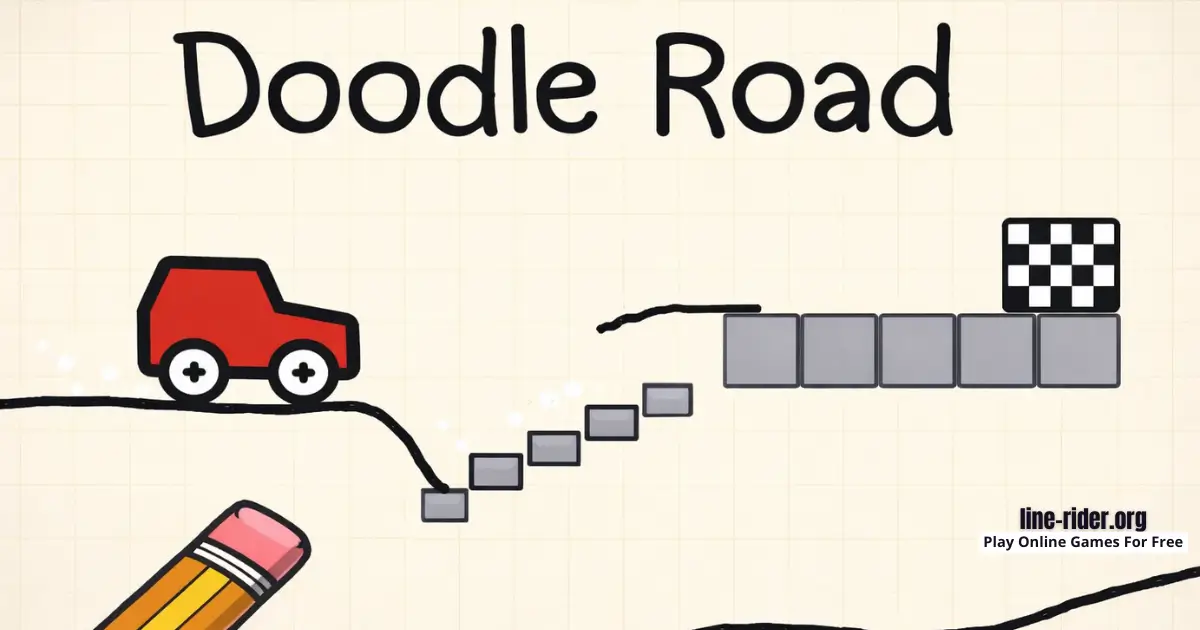
Doodle Road is an online browser video game built around one fun question: can you draw a road that actually works? You are not drawing to decorate the screen. You are drawing the path the wheels will ride on, so the shape of your line controls speed, balance, and whether the car stays upright.
Each level gives you a start, a finish, and a tricky space in between. Sometimes the problem is a wide gap that needs a steady bridge. Sometimes it is a sudden step that needs a gentle ramp. Other times the platform angles are weird, and you need a smooth curve so the car does not slide or tip over.
Developer:Ctrl4ltDel.
Release note: The browser version is commonly listed as releasing in September 2024.
Doodle Road Gameplay
The gameplay loop is simple and satisfying: draw, watch, adjust. You draw one road line, then the car drives on it right away. If your line is too bumpy, the car shakes and loses control. If your line is too steep, the car flips. If your bridge ends too early, the car drops into the gap even though your drawing looked “close enough.”
As levels get harder, small details matter more. A tiny curve can protect your landing. A slightly lower ramp can stop a flip. A longer bridge can keep the back wheel from slipping off the edge. That is why Doodle Road feels like a mini puzzle lab: you try an idea, see the result instantly, then improve it with one smart change.
Tips: Try drawing your road like a skatepark ramp, long and smooth, because gentle slopes usually keep the car calmer than steep jumps.
Platform
You can play this game directly in your web browser on desktop, laptop, tablet, or mobile. That means you can jump in anytime without downloads.
How to Play Doodle Road
Start by scanning the level like a little detective. Where does the car begin, where is the finish, and what is the biggest danger in the middle? Your goal is to draw a road line that connects safe areas while keeping the car steady as it drives.
After you draw, the car will attempt your route. Watch closely and treat every fail like a clue. If the car flips, your ramp is too steep or the road turns too sharply. If the car falls into a gap, your bridge is too short or dips too low. If it gets stuck, your road might be pressing the wheels into a corner instead of giving them a clean exit.
Most levels are solved by a simple idea done neatly, not by a complicated drawing. Build stability first, then add height or speed only if the level truly needs it.
Tips: If the car falls right at the end, extend your line a little farther than you think you need, extra road can prevent a surprise drop.
Doodle Road Controls
Desktop: Draw the road using your mouse, then let the car run the path you created.
Mobile/Tablet: Draw the road using your finger on the touchscreen, then watch the car try your design.
Controls may vary slightly by version/device.
Doodle Road Tips and Tricks
- Start with a simple safe bridge line, then improve it, instead of drawing a fancy shape on your first try.
- Draw smooth curves instead of sharp corners, because sudden angles can launch the car into a flip.
- Keep your road flatter near the start so the car does not begin by bouncing or tipping.
- When you need height, build it slowly with a long slope, not a short steep climb.
- Make landings gentle. A soft curve usually works better than a flat “cliff” edge.
- When crossing a gap, extend the road past the landing spot so the car does not drop at the last second.
- Use the level’s natural platforms like checkpoints, then connect them with short, steady road sections.
- Do not overdraw. One clean line is usually stronger than a thick scribble road.
- If the car slides backward, your slope is too steep, so lower it and lengthen the road.
- Test small edits. Change one thing (angle, length, landing spot), then retry so you learn what actually fixed the problem.
Tips: Pretend the car is carrying a cup of water on top, then draw a road that would not spill it, smooth roads win more often.
Doodle Road Common Mistakes to Avoid
- Mistake: Making a ramp too tall and too fast. Fix: Make the ramp longer and lower so the car climbs and lands gently.
- Mistake: Drawing a bridge that dips into a gap. Fix: Keep your line slightly higher and steadier across the hole.
- Mistake: Ending your bridge exactly at the edge. Fix: Extend the road a little past the edge so the car lands smoothly.
- Mistake: Drawing tiny zigzags to “add grip.” Fix: Use one smooth line, zigzags create bumps that throw the car.
- Mistake: Ignoring the landing zone and focusing only on the jump. Fix: Draw the landing first, then connect the road to it.
- Mistake: Changing everything after each fail. Fix: Change one detail at a time so you can tell what improved the run.
Tips: If you keep flipping, redraw the road so the car stays low and stable, and save big jumps only for levels that truly require them.
Doodle Road Features
- Draw-your-own road puzzles that feel creative and smart.
- Quick restarts, so you can learn by trying again instantly.
- Simple goal that is easy for kids to understand: reach the finish.
- Fun physics-style movement where your line shape really matters.
- Different obstacle layouts that keep the challenge fresh.
- Multiple possible solutions, so you can win with your own style.
- Great for short play sessions, because levels are fast.
- Easy to start, but tricky to master when the road needs better balance.
Doodle Road Goal and Game Loop
Goal: Draw a safe road so the car can travel from the start to the finish without crashing, falling, or getting stuck.
- Study the level layout and identify the main hazard (gap, step, bump, or tricky landing).
- Draw a road line that gives the car a stable route to the finish.
- Watch the result, then adjust your drawing and retry until the car reaches the goal.
Is Doodle Road Safe for Kids?
- The gameplay is cartoon-style and stays on-screen, it is not real-life driving.
- Levels are short, so it is easier to take breaks and not get stuck playing too long.
- You can play in a browser without entering personal information on our page.
- If you see ads on some versions of the game elsewhere, ask a parent for help closing them safely.
- Sound is optional, so you can keep volume low in quiet places.
Parents note: Like any browser game, the best experience comes from normal screen-time limits and playing on trusted pages.
Doodle Road Download
Want to enjoy Doodle Road more comfortably on your device? Here’s how:
For Doodle Road on iOS (iPhone or iPad)


Play Doodle Road Online for Free
You never have to pay to play Doodle Road on our website. Just open the game in your browser and enjoy free play anytime.
Doodle Road Unblocked
You do not need to search “Doodle Road unblocked” because our website does not block access. If you are on a school or work network, always follow the local rules and play only during free time.
This is a great game for a quick break because each level is short, you draw a road, watch the car try it, then tweak your line and retry.
No need to search for Doodle Road unblocked 76, Doodle Road unblocked 66, Doodle Road Poki, Doodle Road Cool Math Games, Doodle Road Math Playground, Doodle Road Crazy Games, Doodle Road Classroom 6x, or Doodle Road 2 Player Games.
The updated, fully working version is available right here on Doodle Road and you can play for free anytime on most devices and networks.
Doodle Road Github
No need to search for a Github version. You can play Doodle Road directly on our website in your browser.
Why You’ll Love Doodle Road
- It turns simple doodles into real solutions you can test instantly.
- Winning feels earned, because your road design is the reason the car succeeds.
- Each retry is fast, so you stay in the fun problem-solving flow.
- It teaches calm planning and “fix one thing at a time” thinking.
- It is easy to start, but it can still surprise you with tricky levels.
When your car finally rolls smoothly across a gap you struggled with, it feels like a tiny victory parade.
Doodle Road Details
Requirements
To play this game, all you need is a computer, an internet connection, and a web browser. No downloads are required!
Release Date
September 2024
Developer
Ctrl4ltDel
Platform
Web browser (desktop and mobile)
Technology
Built using modern web technology for browser play (exact tech not officially confirmed).
Similar Games to Doodle Road
If you’re a fan of Drawing Games, you’ll definitely enjoy these too:
- Draw Climber
- Line Rider
- Car Drawing Game
- Happy Glass
- Brain It On!
Drawing Games
Drawing games are browser games where your lines, shapes, or doodles change what happens on the screen. You might sketch paths, build ramps, block hazards, or guide a character with your artwork. Because they run in your browser, you can play on desktop or mobile without a download. Explore more fun in our Drawing Games collection.
Draw-to-Solve Games
Draw-to-solve games are puzzle-style browser games where drawing is your main way to solve problems. You think about angles, balance, paths, and timing, then test your idea and improve it with quick retries. They are great on laptops, tablets, and phones because you can jump in with no install. Try more challenges in our Draw-to-Solve Games category.
FAQ
Is Doodle Road free to play?
Yes. You can play Doodle Road for free in your web browser on our game page. Open the level, draw your road, and start right away.
Do I need to download anything to play?
No. The version on our site runs directly in your browser, so there is nothing to install.
Can I play Doodle Road on mobile?
Yes. You can play in a mobile browser, and touch screens can feel natural for drawing roads. If you prefer apps, you can also check the store search links in the Download section.
What is the main goal in Doodle Road?
Your goal is to draw a road that helps the car reach the finish safely. If it crashes, falls, or gets stuck, you redraw and try again.
Why does my car flip over so often?
Flips usually happen when the road is too steep, has a sharp corner, or launches the back wheel upward. Try making the slope longer and smoother, and avoid sudden angle changes near the landing.
How do I make the car land safely after a jump?
Focus on the landing first. Draw a gentle landing ramp where you want the wheels to touch down, then connect your road to it. Extending the road slightly past the landing spot can also reduce bounces.
Is there only one correct solution per level?
Usually, more than one road can work. As long as the car reaches the finish, your solution counts, even if it looks different from someone else’s.
What should I draw if I have no idea?
Start with the simplest safe bridge from the start platform to the next stable surface. Then adjust the angle or length based on what the car does on the first attempt.
My car reaches the finish area but still falls, why?
This often happens when your road ends with a sudden drop or a sharp bump right before the goal. Smooth the final section and extend it slightly so the car rolls in gently.
The game is not loading, what should I do?
Refresh the page first. If it still does not load, try closing extra tabs, then reopen the game. Switching to another browser can also help.
Why is the game laggy on my device?
Close background apps and extra browser tabs to free up memory, then try again. A stable internet connection can also make gameplay smoother.
My drawing feels delayed, how can I fix it?
Zoom the page to a comfortable size and draw a steady line a bit more slowly. On mobile, switching between portrait and landscape can sometimes improve how the drawing space feels.
Can I play Doodle Road at school?
If your school allows browser games during free time, it can be a fun quick level game. Always follow your school’s rules and play only when it is allowed.
Is Doodle Road safe for kids?
It is a simple drawing puzzle with a friendly style and short levels. Like any browser game, younger players may want a parent’s help if they ever run into ads or pop-ups on other websites.
Conclusion
Doodle Road is a fun draw-to-solve browser game that turns your doodles into real road designs. It is easy to learn, fast to retry, and super satisfying when your car finally cruises to the finish.
If you like quick puzzles where you can test your own ideas, grab your mouse or touchscreen and play Doodle Road online for free now.