

 Loading...



Play Car Drawing Game Online for free and jump into a playful online browser video game where you sketch a simple car shape, press play, and see if your drawing can roll across tricky roads to reach the goal, right in your web browser on our Car Drawing Game page.
Quick answer: Car Drawing Game is a draw-to-solve browser game where your drawing becomes the car, so the shape you sketch decides how well you reach the finish.
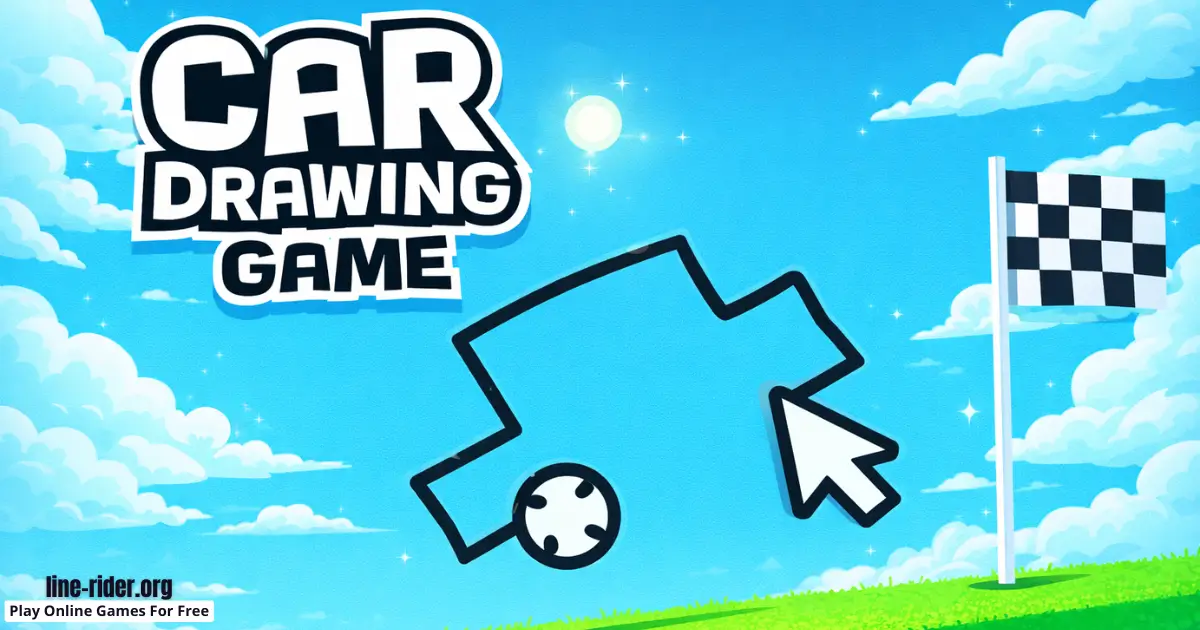
What is Car Drawing Game?
Car Drawing Game is an online browser video game that turns drawing into a puzzle. Instead of choosing a normal car, you create one by drawing it. Then the game tests your design on a level with slopes, gaps, uneven ground, and awkward bumps. If your car flips, gets stuck, or cannot climb, you redraw and try again until it works.
The developer: Mathias Geisler
This game is great for kids because it rewards curiosity more than art skills. You do not need perfect lines. You just need to notice what went wrong, then make a smarter shape. It can feel like a quick science experiment where every try teaches you something new, and the track gives you instant feedback.
Most levels are short, so it is easy to test ideas quickly. That makes Car Drawing Game feel light and fun, even when you fail. You are not “losing.” You are learning what shapes roll better, what shapes tip over, and which tiny tweaks turn a silly doodle into a winning design.
Car Drawing Game Gameplay
Each round starts with a simple goal: get your drawn car from the start to the finish. You draw one main shape that becomes the car’s body and wheels, then you press play and watch your sketch turn into motion. If the car wobbles, flips, or stops, you go back to the drawing area and redesign it.
The gameplay loop is quick and satisfying: draw, test, redraw. Because each run takes only a few seconds, you can learn fast. You will start noticing patterns, like how bigger wheels can help on steep climbs, how a lower body can reduce tipping, and how a longer shape can bridge gaps better.
Some levels are “climb” levels where your car needs momentum and good wheel size to roll up a hill. Other levels are “balance” levels where a tall, skinny car will tip over on bumps. You might also face “gap” levels where a short car drops into a hole, but a longer body can stretch over the space and keep rolling.
Even small changes can make a huge difference. A smoother front edge can stop your car from snagging on a bump. A wider base can help it land safely after a drop. A tiny wheel adjustment can fix a level that felt impossible just a moment ago.
Good to know: You are not decorating the screen. Your drawing is the solution, so the best-looking car is the one that stays stable and keeps moving forward.
Tips: If your car keeps getting stuck on a sharp bump, redraw with a smoother front edge and a slightly rounder wheel so it glides instead of catching.
Platform
You can play this game directly in your web browser on desktop, laptop, tablet, or mobile. That means you can jump in anytime without downloads. It is easy to start, easy to stop, and easy to replay when you want to try a new idea.
How to Play Car Drawing Game
Goal: Solve each level by drawing a car that can travel from the start to the finish across the track.
- Scan the level and pick the hardest spot (the steepest hill, the biggest gap, or the roughest bumps).
- Draw a simple car shape that is built for that spot, not just a random doodle.
- Start the run and watch closely where it succeeds and where it fails.
- Redraw with one focused change, like “bigger front wheel” or “lower body,” then test again.
- Repeat until you can finish the level reliably.
The best strategy is to treat every level like a mini puzzle. If you rush and scribble without thinking, you will still have fun, but you might need many extra tries. If you slow down for two seconds and choose a design on purpose, you will win faster and learn more.
Try to change only one thing per attempt. When you change wheel size and body shape at the same time, it becomes hard to tell what actually helped. One change at a time makes your progress feel clear and steady.
Tips: Before you draw, name the level problem out loud, like “gap level” or “climb level,” then draw a shape that matches that one challenge.
Car Drawing Game Controls
Desktop: Use your mouse or trackpad to draw your car shape, then start the run in the game.
Mobile: Use your finger to draw your car shape, then start the run in the game.
Controls may vary slightly by version/device.
Car Drawing Game Tips and Tricks
- Start with a “safe” design: a wide body and two clear wheel circles, then adjust from there.
- For wobbly levels, make the bottom flatter so the car has a more stable ride.
- For levels with a big drop, avoid tall shapes because they tend to tip and roll out of control.
- If you need to climb, increase the wheel size on the side that touches the hill first.
- If you keep sliding back, redraw with a slightly longer body so the car stays in contact with the ground longer.
- When you almost win, do not restart from scratch. Keep the same idea and improve one detail.
- Do quick tests with simple shapes to learn the level, then draw the smarter “final” version.
- If your car spins too easily, reduce extra bumps in your drawing and keep edges smoother.
- When the track is rough, widen the wheel area so you roll over tiny bumps more easily.
- If the level feels impossible, try the opposite of your last idea (short to long, tall to low, small wheels to big wheels).
- When your front gets stuck, round the nose and remove sharp corners that can catch on the ground.
- If you keep flipping backward on a hill, shift your shape forward so the front “leads” the climb.
- Practice patience: two calm redesigns usually beat ten rushed scribbles.
It also helps to build a tiny “toolbox” of designs in your head. One design can be your gap car (longer body). Another can be your climb car (bigger wheel). Another can be your balance car (low and wide). You can then tweak that base design for each level instead of guessing from zero every time.
Tips: A small redraw can be a big win, so try changing only wheel size first, and only change the body shape if wheel changes do not help.
Car Drawing Game Common Mistakes to Avoid
- Mistake: Drawing a super complicated shape with lots of corners. Fix: Use clean curves and simple pieces so you can predict how the car will roll.
- Mistake: Making the body too tall and skinny. Fix: Lower the center by drawing a wider base and keeping the top flatter.
- Mistake: Drawing a tiny car for a long level. Fix: Make the body longer so you can handle gaps and uneven ground more smoothly.
- Mistake: Using tiny wheels for steep climbs. Fix: Increase wheel size so the car can roll upward without stalling.
- Mistake: Scribbling fast jagged lines. Fix: Draw smoother curves so the car rolls instead of snagging.
- Mistake: Changing five things at once after a fail. Fix: Change one part per try, then test again.
- Mistake: Blaming luck instead of watching the fail. Fix: Watch the exact moment it fails, then redraw to fix that one spot.
Failing is part of the fun, but you will improve faster when you stay calm and focused. The game rewards careful observation. If you pay attention to the moment your car flips, stalls, or bounces, you will know exactly what to change next.
Tips: If you fail three times in a row, pause and choose one clear rule for your next drawing, like “lower than before” or “bigger wheel than before.”
Car Drawing Game Features
- Draw-to-solve gameplay where your sketch becomes the vehicle.
- Fast retry loop that makes learning fun and keeps frustration small.
- Levels that test balance, rolling, and smart shape choices.
- Simple goal that kids understand instantly: reach the finish.
- Many possible solutions, so you can win in your own style.
- Satisfying “aha” moments when a tiny change fixes the whole level.
- Great for experimenting with cause and effect in a playful way.
- Works well for short sessions because runs are quick.
- Encourages problem-solving habits like planning, testing, and improving.
- Easy to start, but surprisingly deep as tracks get trickier.
One of the best parts is how clear the feedback is. When your car fails, you can usually see why. That makes every new attempt feel meaningful, not random. It is a gentle way to practice persistence, because the game keeps moving quickly and rewards small improvements.
Car Drawing Game Download
Want to enjoy Car Drawing Game more comfortably on your device? Here’s how:
For Car Drawing Game on Android
For Car Drawing Game on iOS (iPhone or iPad)


Car Drawing Game Unblocked
You do not need to search “Car Drawing Game unblocked” because our website does not block access, you can play in your browser from the same page anytime.
This is a nice pick for a quick break because you can test a drawing in seconds, then retry with one small change and see instant results.
No need to search for Car Drawing Game unblocked 76, Car Drawing Game unblocked 66, Car Drawing Game Poki, Car Drawing Game Cool Math Games, Car Drawing Game Math Playground, Car Drawing Game Crazy Games, Car Drawing Game Classroom 6x, or Car Drawing Game 2 Player Games.
The updated, fully working version is available right here on Car Drawing Game and you can play for free anytime on most devices and networks.
Car Drawing Game Github
No need to search for Car Drawing Game GitHub, you can play it directly on our website in your browser.
Play Car Drawing Game Online for Free
You never have to pay to play Car Drawing Game on our website. Just open the game in your browser and enjoy free play anytime.
Is Car Drawing Game Safe for Kids?
- It is a browser game focused on drawing and problem-solving, not chatting with strangers.
- There is no need for real-life actions. It is all simple on-screen gameplay.
- Runs are short, so it is easy to stop after a level and take breaks.
- The challenge is about shapes and physics, not scary themes.
- It supports a healthy try-again mindset because learning from mistakes is part of the game.
- Parents can help younger kids by talking through the level’s main problem before drawing.
(As with any online game, it is smart to play on trusted sites, keep personal info private, and take regular screen breaks.)
Why You’ll Love Car Drawing Game
- You get instant feedback because your drawing becomes the solution right away.
- You can be creative, but your creativity has a purpose: solving the level.
- The game feels funny and surprising when wild shapes actually work.
- It is satisfying to “debug” your drawing like a mini invention project.
- Small improvements feel huge when they finally get you over a hill or across a gap.
- It is replayable because you can beat levels with different designs.
- It helps you practice patience, planning, and smart experimenting.
If you like games where you can think, test, and improve without pressure, this one fits perfectly. It is easy to understand in seconds, but it still gives you that proud feeling when your design finally rolls cleanly to the finish.
Car Drawing Game Details
Requirements
To play this game, all you need is a computer, an internet connection, and a web browser. No downloads are required!
Release Date
July 2019
Developer
Mathias Geisler
Platform
Web browser (desktop and mobile)
Technology
Built using modern web technology for browser play (exact tech not officially confirmed).
Similar Games to Car Drawing Game
If you’re a fan of Drawing Games, you’ll definitely enjoy these too:
- Draw Climber
- Line Rider
- Doodle Road
- Draw the Hill
Drawing Games
Drawing games are all about using your lines and doodles to make something happen on screen, not just to decorate. You might sketch paths, shapes, tools, or simple designs that affect movement, balance, and timing. The best drawing games are easy to start, quick to understand, and fun to replay because you can try new ideas every time.
In a browser drawing game, your imagination is part of the controls. Instead of only tapping buttons, you plan a quick idea, draw it, and watch how the game reacts. If you want more games where your drawing is the action, explore more on our Drawing category.
Draw-to-Solve Games
Draw-to-solve games are puzzle-style games where your drawing is the solution to the level. You usually plan, draw, test, then redraw while thinking about obstacles, physics, and smart shortcuts. They are great in a web browser because you can jump in quickly on desktop or mobile without installing anything.
These games are also great for building problem-solving habits. They encourage you to stay calm, try again, and learn from what happened on screen. If you like solving levels with your own sketches, try more on our Draw-to-Solve collection.
FAQ
Is Car Drawing Game free to play?
Yes, Car Drawing Game is free to play on our website. You can open it in your browser and start drawing right away.
Can I play Car Drawing Game right in my browser?
Yes. The browser version runs online, so you can play without installing an app. Just load the game page and begin.
Do I need to download anything to play?
No, you do not need a download for the browser version. The game runs directly in your web browser.
Do I need an account?
No, you usually do not need an account to play in the browser. You can jump in and start drawing immediately.
How do you win a level?
You win by reaching the finish with the car you drew. If your design gets stuck, flips, or cannot climb, you redraw and try again until you cross the goal.
What should I draw first on a new level?
Start with a simple, stable shape. A wide body with two clear wheels is a strong first test because it helps you learn what the track needs. After that, adjust based on the level’s biggest problem.
What is the best car shape to draw?
There is no single best shape for every level. A good starting point is a low, wide body with clear wheels. Then you tweak it for the track, like making the body longer for gaps or making wheels bigger for steep hills.
Why does my car keep flipping over?
Your car flips because the shape is unstable or too top-heavy. Try lowering the body, widening the base, smoothing sharp corners, or adjusting wheel size so the car stays balanced on bumps and landings.
Why does my car stop moving?
Your car can stop if the wheels are too small, the body shape snags on a bump, or the design cannot keep momentum on a hill. Try bigger wheels, a smoother front edge, or a longer shape that stays in contact with the ground.
Why is changing one thing at a time important?
Changing one thing helps you learn faster. If you change wheels and body shape at the same time, it is hard to tell what actually improved the run. One clear change per attempt makes your progress easier to track.
Can I play Car Drawing Game on mobile?
Yes, you can usually play on mobile in a browser. Drawing with your finger can feel natural, and quick levels work well on phones and tablets.
Can I play on a school Chromebook?
Yes, you can often play on Chromebooks because the game runs in a browser. Only play when it is allowed, and save it for free time.
Can I play at school or work?
You can play in a browser when it is allowed. Always follow school or workplace rules, and keep gaming for breaks and free time.
The game is not loading, what should I do?
First, refresh the page and try again. If it still does not load, close extra tabs, turn off heavy extensions, or try a different browser. A stable connection also helps browser games run smoothly.
The game feels laggy, what can I do?
Close extra tabs, refresh the page, and make sure your browser is updated. If it still feels slow, disable heavy extensions and try again. On older devices, keeping only one game tab open can improve performance.
My drawing tool is not working, how do I fix it?
Refresh the page first. If it still fails, try a different browser or switch input method, like mouse instead of trackpad. On mobile, closing other apps can also help the drawing tool respond better.
Does Car Drawing Game save progress?
Some browser versions do not save progress the same way as apps. If you want to keep playing, you can leave the tab open during your session, or be ready to replay earlier levels if the page is refreshed.
Is Car Drawing Game safe for kids?
Yes, it is generally kid-friendly because it focuses on drawing and puzzle-solving. It is still smart to take breaks, play on trusted sites, and avoid sharing personal information online.
Conclusion
Car Drawing Game is a clever browser challenge that turns doodles into real solutions. Draw something simple, test it on the track, and improve your design until your car can conquer hills, gaps, and bumps.
If you enjoy quick puzzles, funny fails, and big wins from tiny changes, this game hits the sweet spot. Open the page, sketch your best idea, and let the road decide if your drawing is the winner.
Play now and draw your way to the finish!